First, you need to have Docker installed. I used the Docker included in iStoreOS. If you’re running vanilla OpenWrt or a modified version, install Docker first—simply search for it in the LuCI interface and install the relevant packages.
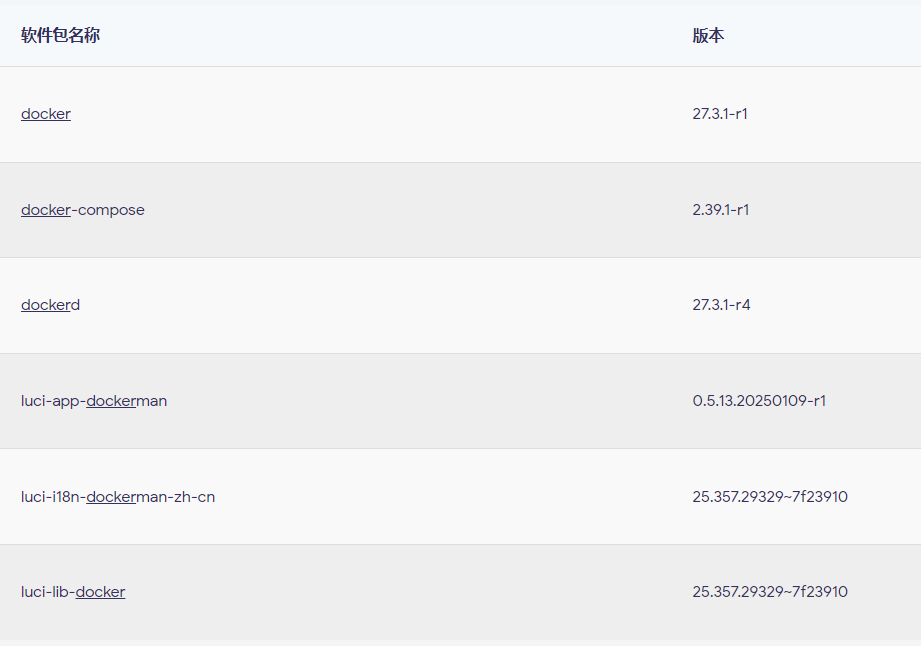
The following steps will be demonstrated using the DockerMan interface.
First, pull the image: navigate to the Images page and enter the following command here.

moelin/1panel:latestAfter pulling the image, create a network named “docker”. Go to the Networks section in DockerMan and create a new network: just enter “docker” as the network name, select “Bridge” as the driver, leave all other fields at their defaults, and save it. You can also enable IPv6 if needed.
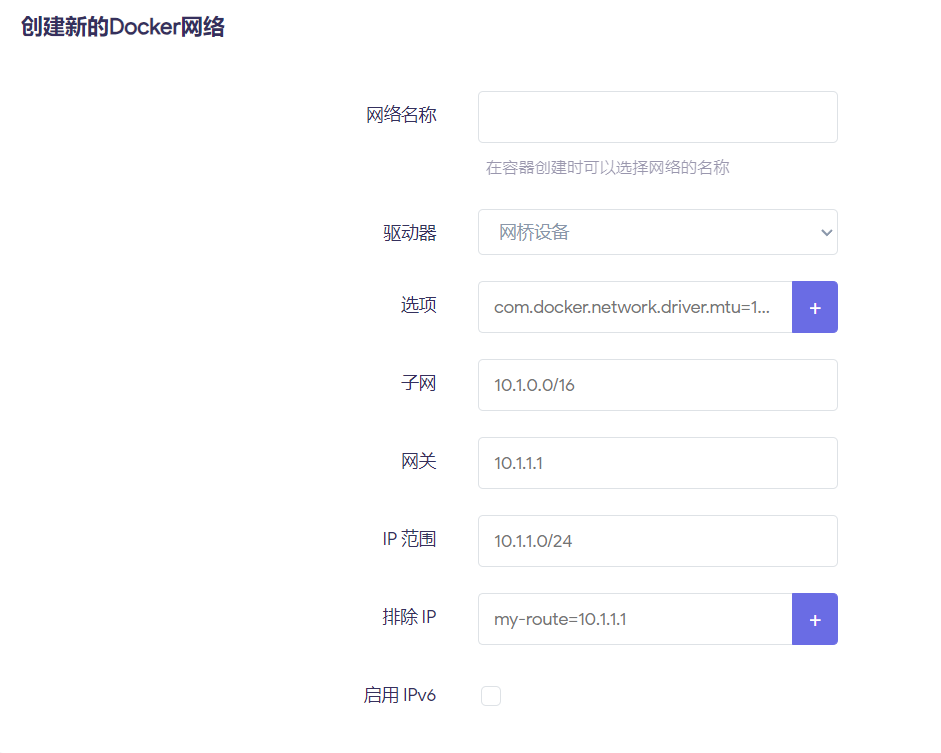
Once created, it should look like this.

Next, create a directory for 1Panel data, another directory to store the Compose file, then create a docker-compose.yml file. Use the following commands:
mkdir -p /opt/1panel
mkdir -p /opt/1panel-compose
cd /opt/1panel-compose
Add the following code to docker-compose.yml; I usually use WinSCP to edit it.
version: '3'

services:
  1panel:
    image: moelin/1panel:latest
    container_name: 1panel
    restart: always
    privileged: true
    networks:
      - docker
    ports:
      - "10086:10086"
    volumes:
      - /var/run/docker.sock:/var/run/docker.sock
      - /opt/1panel:/opt/1panel
    environment:
      - TZ=Asia/Shanghai

networks:
  docker:
    external: true
Finally, run the following commands; either of the last two will work.
cd /opt/1panel-compose
docker compose up -d
docker-compose up -d
Upon successful execution, start the corresponding container via the Containers page, then access 1Panel by visiting port 10086 on your router.
Secure access is enabled by default: click ‘Edit’ next to the container, then select ‘Active Connections’ in the console.
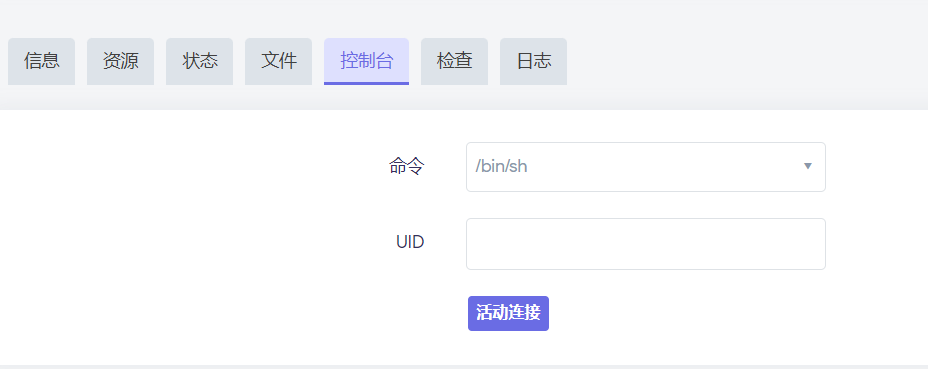
Once inside, enter 1pctl user-info to view the access link and user password.
Side note: There’s no real need to do this—just install Bash and run the following command directly in the terminal.
bash -c "$(curl -sSL https://resource.1panel.pro/v2/quick_start.sh)"
其实没这个必要,直接通过脚本就能安装宿主机版本,不需要docker,我之前以为OpenWrt环境不够呢,其实是够的。